DSViewer
Offline Data Analysis
DSViewer is a dedicated PC software package developed to analyze and evaluate raw ultrasonic inspection data (.dat, .raw) offline. Offering a highly optimized user interface with flexible multi-view layouts, precise crosshair sizing, and customized corrosion color mapping, it enables engineers to easily identify, size, and document flaws.
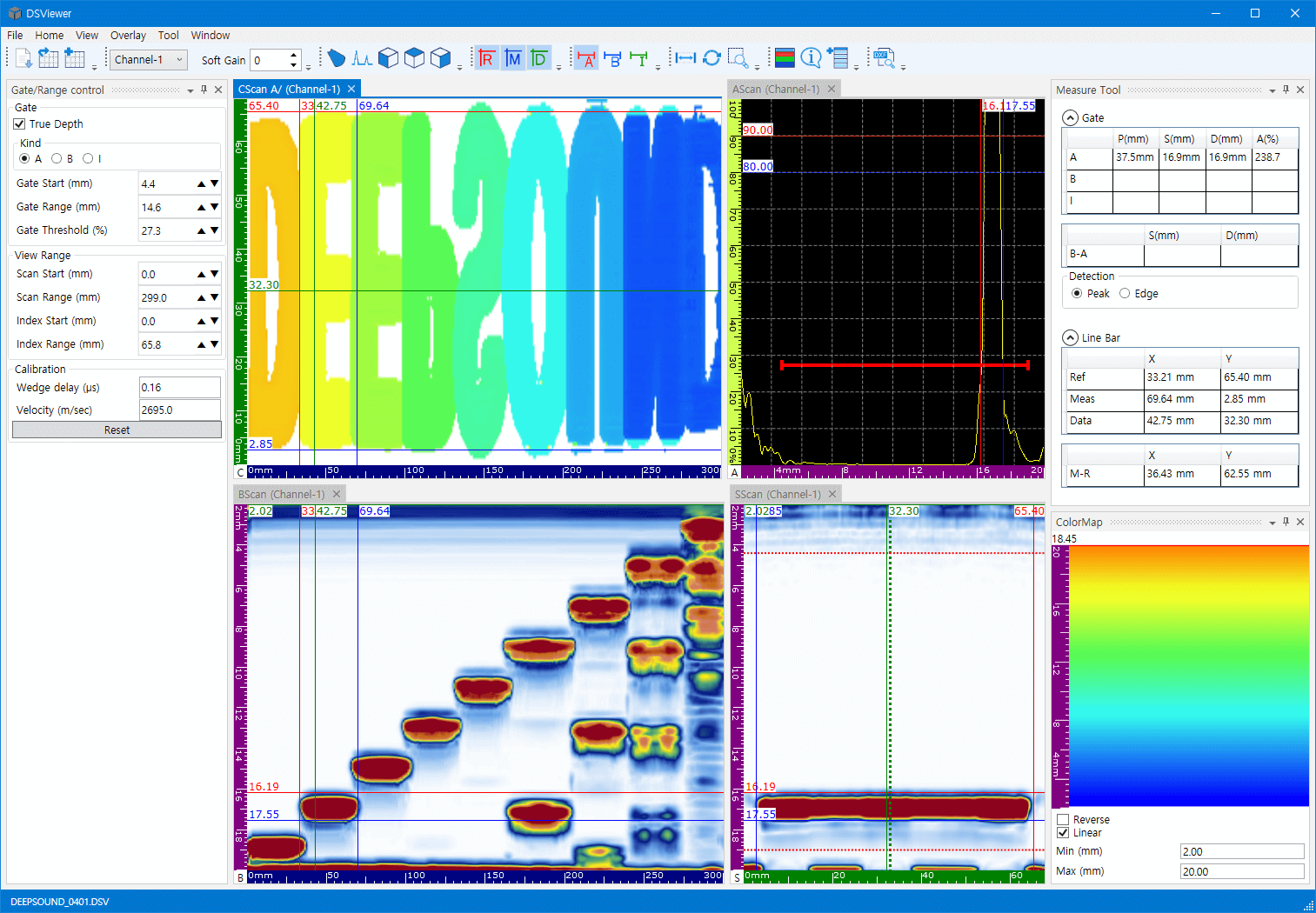
Offline 2D C-Scan & Corrosion Mapping
Load raw inspection data files (.dat, .raw) copied from portable hardware via USB. Generates high-contrast 2D color maps (such as "DSPAUT" specimen scans) to visually inspect corrosion topography, composite delamination, or internal material voids.
Supports dedicated corrosion mapping mode. Operators can toggle color map rendering based on Amplitude (A%) or Position (A/, B/, A/-B/, Position), and dynamically adjust visual scale limits (Min/Max, Linear/Reverse) to easily distinguish micro-thickness variations.
- ✔ Ultra-fast rendering of large raw ultrasonic data files
- ✔ Corrosion-specific color map palettes and real-time range control
- ✔ Automatic extraction of original acquisition hardware parameters
Multi-View Layouts & 5-Axis Rulers
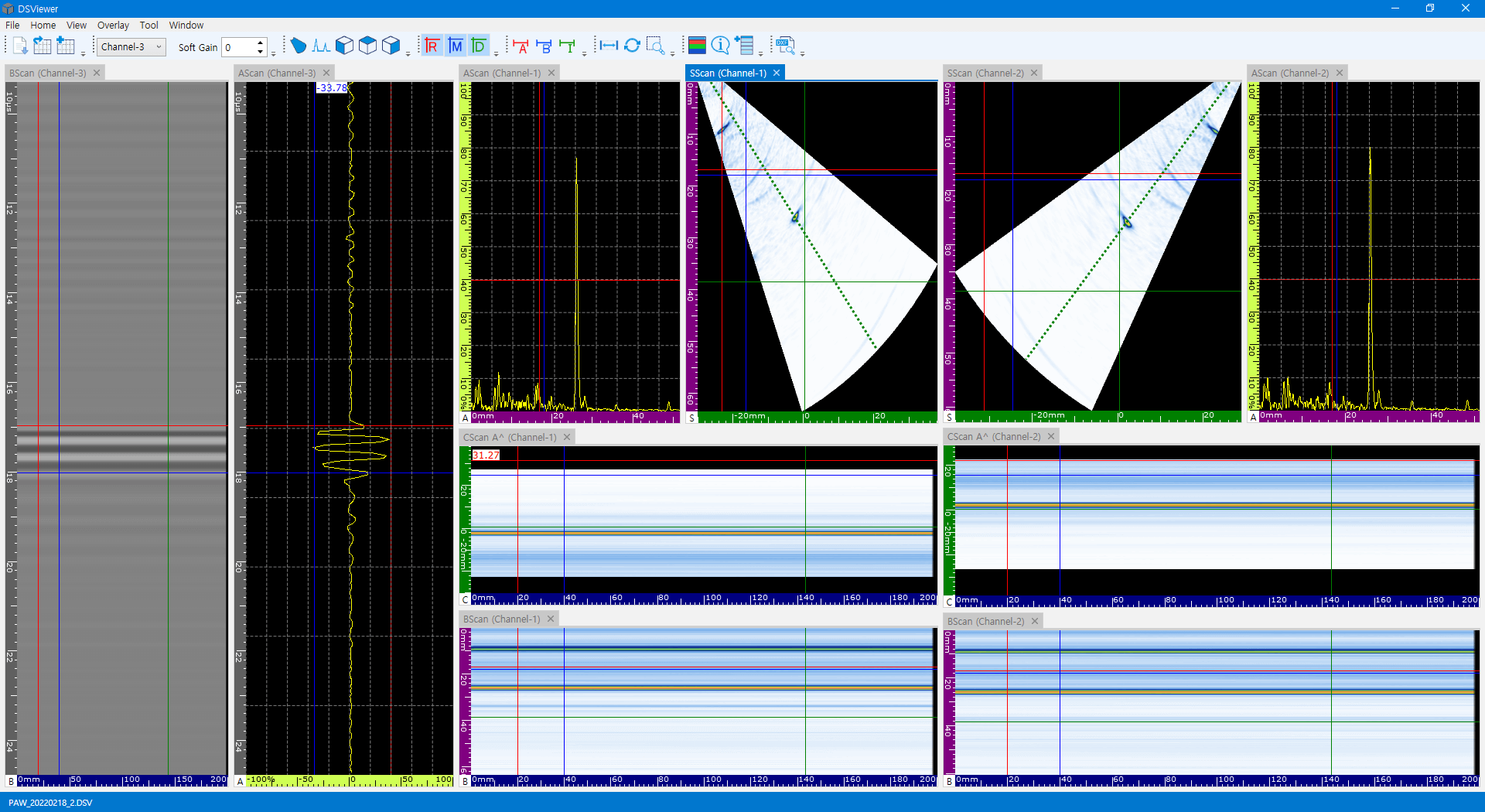
Provides a comprehensive multi-window scan dashboard. View A-scan, B-scan, C-scan, D-scan, and S-scan (Sectorial) simultaneously. Windows are fully customizable, allowing operators to arrange layouts (e.g. A-B-C or side-by-side) to match their workflow.
To help identify defect coordinates instantly, the software features dedicated, color-coded rulers: Scan Axis (Blue), Index Axis (Green), Amplitude (Yellow), Sound Path (Pink), and True Depth (Purple).
- ✔ Simultaneous multi-scan views (A, B, C, D, S-scan) mapped in real-time
- ✔ 5-axis color-coded rulers for error-free coordinate verification
- ✔ Multi-channel support to analyze multiple active probes side-by-side
Precision Flaw Sizing & 3-Gate Analysis
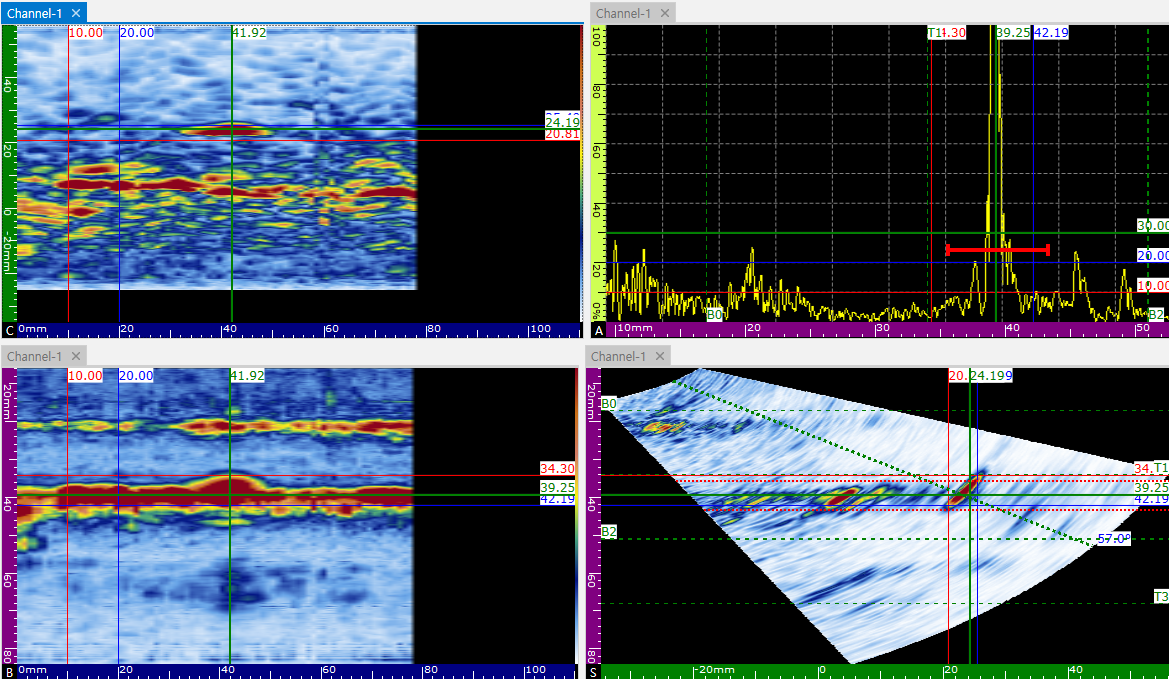
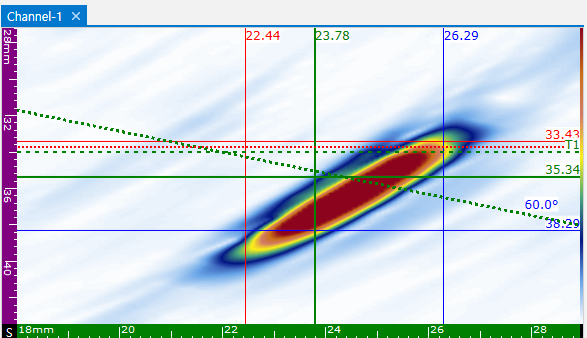
Evaluate flaws quantitatively with independent Reference and Measurement cursors on the horizontal and vertical axes. Cursors allow operators to outline defect boundaries and calculate exact length and height.
Features Gate A, B, and I (Interface gate) to monitor A-scan and S-scan wave peaks. The built-in Measure Tool displays critical sizing metrics: Amplitude (A%, B%, I%), Sound Path (SA, SB, SI), Reflector Depth (DA, DB, DI), Distance from zero (PA, PB, PI), and Delta (Δ) difference values between Gate A and B.
- ✔ Interactive Reference & Measurement cursor lines for spatial dimensioning
- ✔ Independent 3-gate (A, B, I) configuration and threshold triggers
- ✔ Comprehensive Measure Tool displaying %, SA/SB/SI, DA/DB/DI, and Delta
Dynamic Zoom & Offline Calibration
Activate Zoom mode to inspect micro-defects closely. Simply drag and drop to magnify region-of-interest areas, or scroll with the mouse wheel to zoom dynamically.
Supports post-inspection calibration without changing raw files. Adjust Wedge Delay, material Velocity, or TOFD alignment values dynamically to correct rulers instantly. Analysis screens can be captured and saved as individual PNG files for quick reporting and documentation.
- ✔ Mouse wheel zoom & drag-to-magnify window control
- ✔ Offline Wedge Delay, material Velocity, and TOFD synchronization calibration
- ✔ Direct export of active scan views to individual PNG image files
DSViewer Support & Partnership
If you have technical questions about using DSViewer, need custom feature development, or wish to explore B2B collaborations, please feel free to reach out. A SEONGSANLAB representative will respond within 24 hours.